Three kinds of site map
The same small website can be mapped in three different ways.
- Planning Diagram: a tree of pages your team draws before building or rebuilding a site. It shows which pages sit under which, and where each one gets linked from.
- HTML Sitemap: a normal web page with links to the main sections, for visitors who can't find something in the menu.
- XML Sitemap: a file listing the URLs you want search engines to find, often with the date each page last changed.
They aren't interchangeable. A planning diagram never goes live, and nobody visiting the site would read an XML file. None of them replaces good menus and internal links either, as that's how most people and search engines find pages.
- ServicesKitchen fittingWorktops
- ProjectsProject gallery
- AboutAbout usContact
<urlset>
  <url>
    <loc>https://example.co.uk/</loc>
  </url>
  <url>
    <loc>https://example.co.uk/services/</loc>
  </url>
  …
</urlset>
Planning a site map before a redesign
Sites that grow one page at a time often end up with several pages chasing the same search. Important pages get buried several clicks deep, and the menus stop making sense. Drawing a site map before a rebuild shows these problems while they're still easy to fix.
A good plan groups related services together and keeps key pages close to the homepage. It also shows which old pages should be merged, and where each old address should redirect once the new site goes live.
Once it's agreed, the plan usually becomes the menus. The main sections turn into the top-level items, and the pages under each one sit in its dropdown. Anything that doesn't fit can go in the footer or an HTML sitemap.
Site maps behind our website rebuilds
These two rebuilds started by changing how the pages fit together.
- Freight services grouped into clear menus
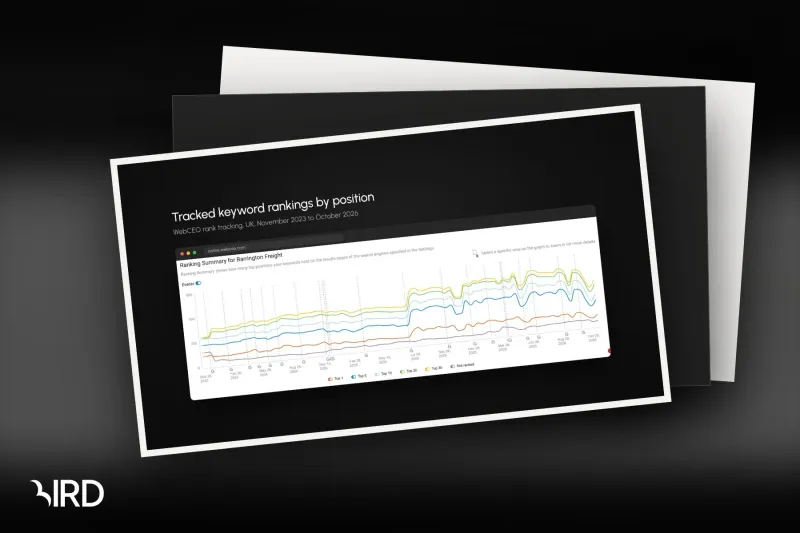
Barrington Freight's old site had grown page by page without a clear structure, so several of its own pages competed for the same freight terms. We grouped the overlapping services, redirected near-duplicate pages, and rebuilt the menus around import, export, road, sea, and air.
- Sectors first in the structure
Harkalm's services cover very different sectors, so the information architecture puts them up front. Partners see the high-street, roadside, food-store, and education work as soon as they arrive, and each sector links through to more detail.